
Pre-Production Requirements
We are excited to announce a new update to our software that will make it even easier for our users to complete the pre-production requirements for their jobs and services.
Here's a Pre-Production Requirements video guide:
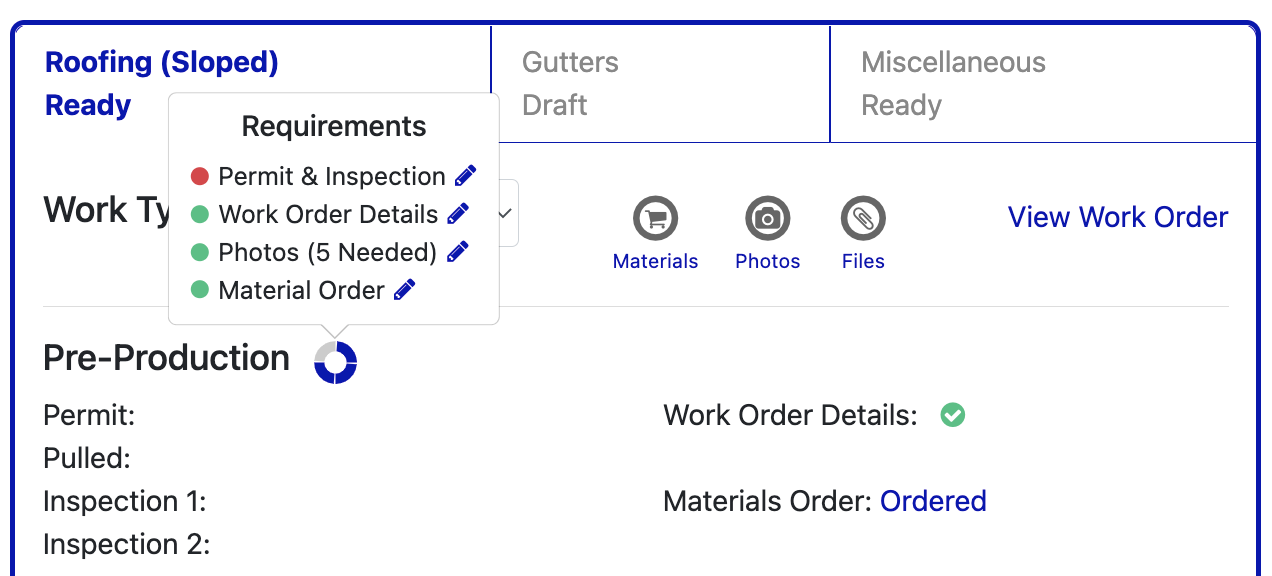
One of its new features is the requirements wheel-like icon.
It provides you with a list of all the necessary requirements for each job or service. This includes everything from permits, work order details, photos, and materials. You can easily access and work on the specific requirement by simply clicking on the pencil icon. Shortcut icons are also provided for quick access to the most commonly used tools during the pre-production stage. These include material orders, photo attachments, and file attachments. You can easily find and access these tools from the requirements page, allowing them to complete tasks quickly and easily.
Here's how it works:
- When you log in to the software, head over to the Jobs section and select the contract you'll be working on. Click on "Manage Job" and you'll be taken to the Job Order page.
Note: In every service there are work types; repair, replace, and new construction.
On this page, you can see all the services that needs to be done on the contract. You can assign a project manager, track job status, and see the dates when the job started and was completed.
- There are also shortcut icons for materials order, photos, and files.
- On the top right portion of the page, you have the icons for canceling jobs, job settings, and managing invoices.
- You could also add job site notes, with access to maps, and weather forecasts.
- On the lower right part, you have the job logs which show all of the actions that are done on this job order. You also have the option to add a task for a specific person or add notes.
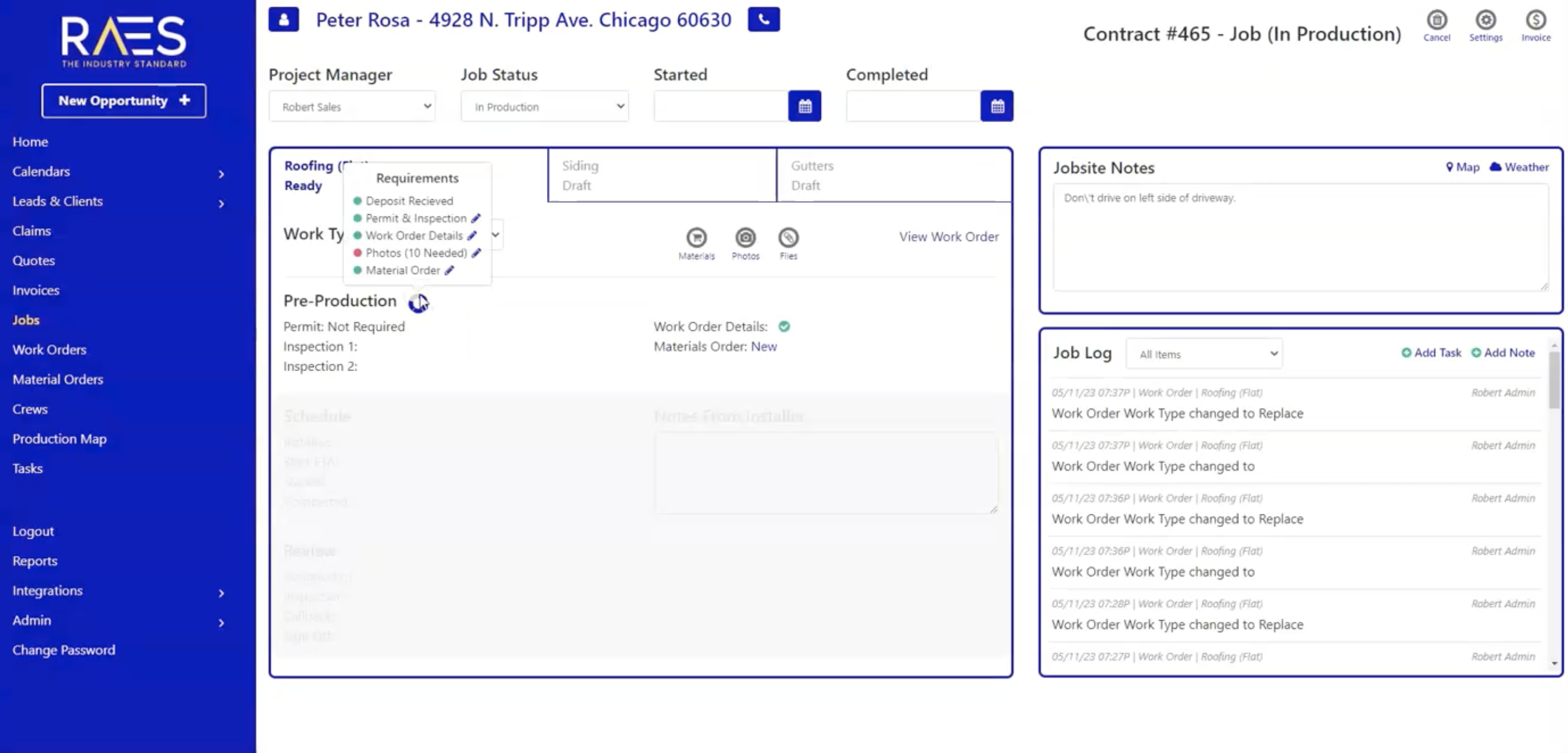
With the pre-production requirement feature, you can easily access the necessary requirements for each service by selecting the work type first. When you click on the pencil icon beside the requirement, a window will pop up where you can work on it.
Keep in mind that each service has different requirements. For example, roofing (sloped) requires five photos, while gutters require four.
"Green is the gleam of success, where requirements are met, while red warns of missed targets ahead."
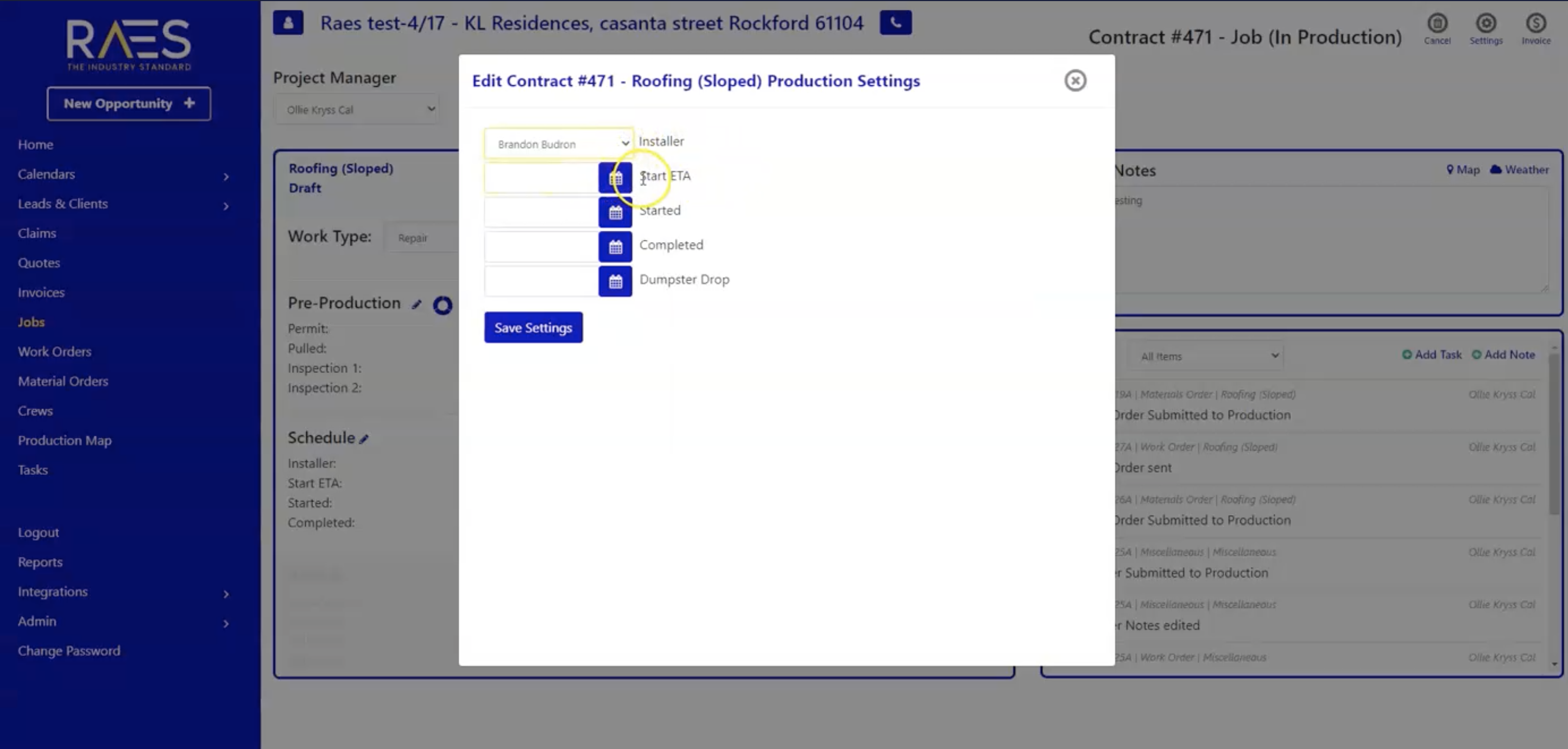
Once you've completed all the pre-production requirements, you can move on to the scheduling stage. This is where you can assign an installer and set dates for the expected start date and completion date.
Materials Order:
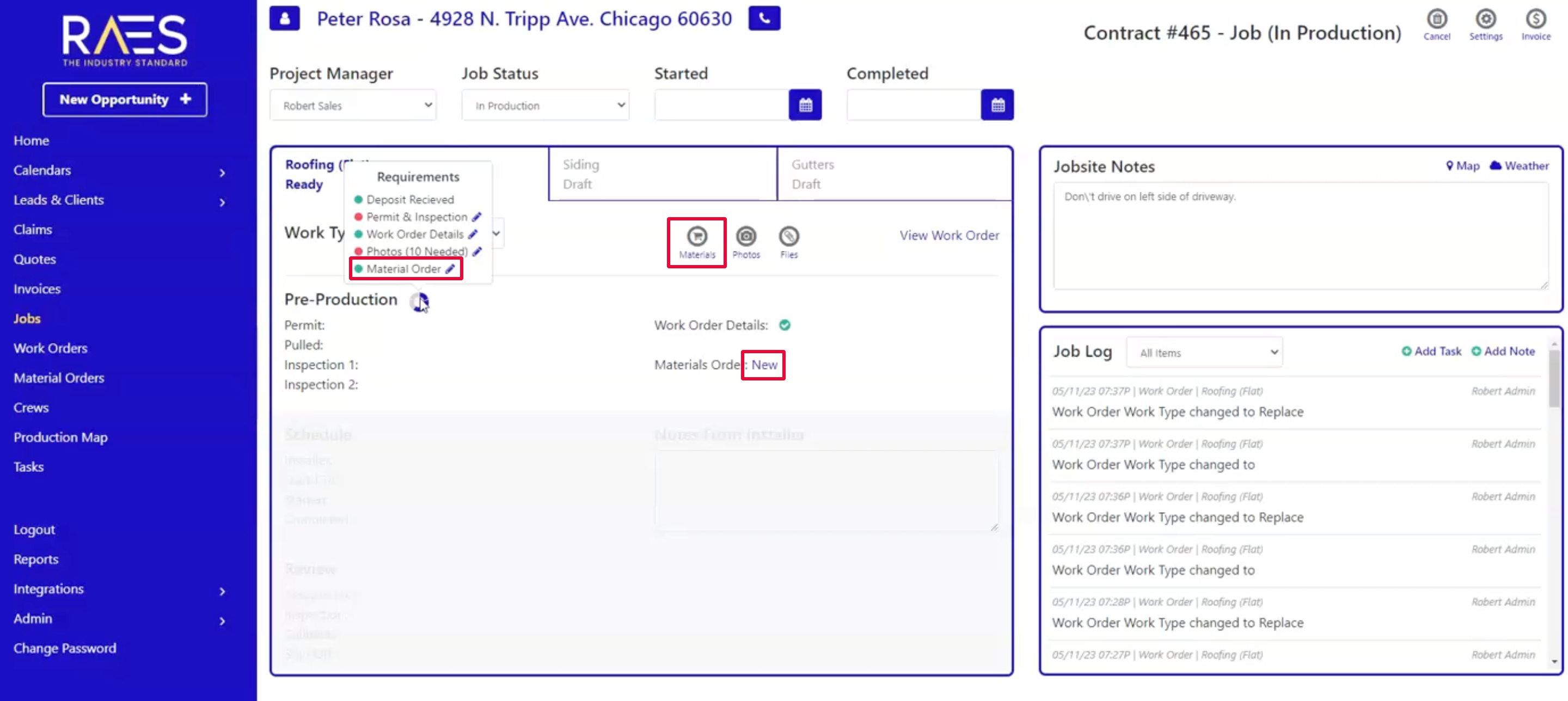
If you need to create new materials order, you can easily access the material order window by clicking the pencil icon. There are also 2 other options for you to access the materials order window; you can click directly on the materials icon or you can click on the linked status then it'll open the materials order window then simply click on the plus icon on the upper right part of the window.
With these new features, managing your jobs has never been easier. You can complete all the necessary requirements quickly and efficiently, and track the progress of your job from start to finish. We hope this update will make your job easier and more enjoyable!